AnimationComponent的使用
    private _showRunEndAni()
    {
        this._aniComponent = this.node.children[0].getComponent(AnimationComponent);
        this._aniComponent.crossFade("run_end",this._duration);
         this._aniComponent.on(AnimationComponent.EventType.FINISHED,()=>{
            this._aniComponent.crossFade("get",this._duration);
        },this);
    }
crossFade 会在指定的周期内平滑地完成切换。
play 立即切换到指定动画状态。
pause 暂停所有动画状态,并暂停所有切换。
resume 恢复所有动画状态,并恢复所有切换。
stop 停止所有动画状态,并停止所有切换。
动画事件回调
 export enum EventType {
            PLAY = "play",              //开始播放
            STOP = "stop",              //停止播放
            PAUSE = "pause",            //暂停播放
            RESUME = "resume",          //恢复播放
            LASTFRAME = "lastframe",    //最后一帧
            FINISHED = "finished"       //播放完成
        }
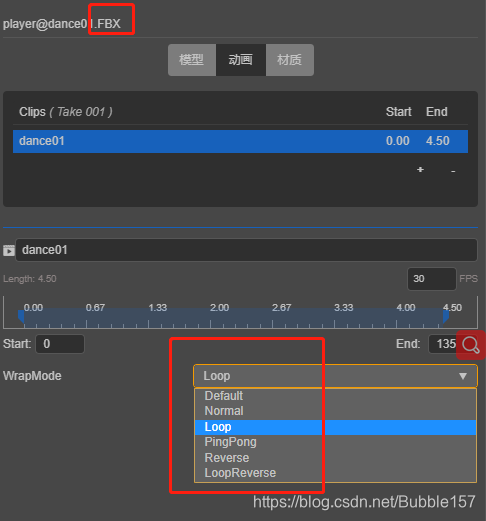
导入FBX文件,默认是循环播放,若不需要循环播放,可在编辑器中改为正常播放
